



Advertorial

Ad blockers compared

AdGuard vs AdLock vs AdBlock vs Total Adblock vs Adblock Plus: A Practical Comparison

Every ad blocker offers the same headline result: fewer ads. Look past that headline, though, and the products diverge in ways that directly affect which one suits you. A tool built for a single browser behaves very differently from one that filters an entire device. A blocker that permits certain non-intrusive ads by default won't match the expectations of someone who wants everything gone.

A closed laptop on a wooden desk beside a stack of tablets and phones
  1. AdGuard AdGuard Browser, device, DNS and network
  2. AdLock AdLock No Acceptable Ads programme
  3. AdBlock AdBlock Low-effort browser blocking
  4. Total Adblock Total Adblock Preset, hands-off filtering
  5. Adblock Plus Adblock Plus Adjustable filter lists

The aim is not to crown a single winner, but to map each product to the kind of user it fits.

This article compares five widely used options — AdGuard, AdLock, AdBlock, Total Adblock, and Adblock Plus — across the features that tend to shape the decision.

The Decision Involves More Than “Blocks Ads”

Installing an ad blocker sounds like a one-step task. In practice, users arrive with quite different requirements, and a product that satisfies one person can frustrate another.

Reader one

Wants banners gone from Chrome and nothing more.

Reader two

Wants filtering that reaches Windows applications, an Android phone, and possibly every device on a home network.

Those are separate problems, and they point toward separate products.

Beyond raw ad blocking, common priorities include:

  • Tracker filtering and broader privacy controls
  • Custom filter lists and allowlisting
  • Mobile coverage on Android or iOS
  • DNS-level filtering
  • Malware or phishing filtering
  • The ability to permit ads on selected sites

Because these needs vary so widely, the useful question is rarely “which ad blocker is best?” It is “which one matches how I browse, and on what devices?”

Feature Comparison at a Glance

The table below summarizes how the five products line up. Treat it as a starting point rather than a final verdict, since capabilities shift by platform and version.

Feature AdGuard AdLock AdBlock Total Adblock Adblock Plus
Ad blocking Yes Yes Yes Yes Yes
Tracker blocking Yes Yes Yes Yes Yes
Browser extensions Yes Yes Yes Yes Yes
Desktop apps Yes Yes Yes* Available Primarily browser-based
Android Yes Yes Yes Yes Yes
iOS Yes Yes Yes Yes Yes
DNS filtering Yes Yes No Varies No
Custom filtering Yes Yes Yes More limited Yes
Acceptable Ads Product/settings dependent No Yes, enabled by default Settings vary Yes, enabled by default
Device-level filtering Available Available More limited Available on supported platforms More limited
Free option Yes Yes Yes Yes Yes

*AdBlock's exact features vary by product and platform.
Note: Features and platform availability can change by operating system, browser, product version, and subscription. Always check the provider's current terms before purchasing.

The Five Products in Detail

What each product is built around, the features its provider highlights, and the thing that sets it apart from the other four.

AdGuard

AdGuard

Best suited for: users who want filtering options that span browsers, devices, and DNS.

AdGuard is built around a comparatively wide product ecosystem. Rather than concentrating on browser extensions alone, it offers dedicated applications and services for Windows, macOS, Android, and iOS, plus browser extensions, DNS filtering, and network-level solutions.

Its filtering covers advertisements and trackers, while supported products add DNS filtering, browsing protection, custom rules, and parental controls. The AdGuard DNS service can filter requests to advertising, tracking, and potentially harmful domains, and it allows users to define their own rules.

Key features include:

  • Advertisement and tracker blocking
  • Browser extensions and desktop applications
  • Android and iOS applications
  • DNS filtering and custom rules
  • Malicious-domain filtering
  • Parental controls on supported products

What sets it apart: flexibility. A user can begin with a simple browser extension, then move toward device-level or DNS-based filtering for wider coverage. The trade-off is that this range can make AdGuard feel more involved than a single-purpose browser extension.
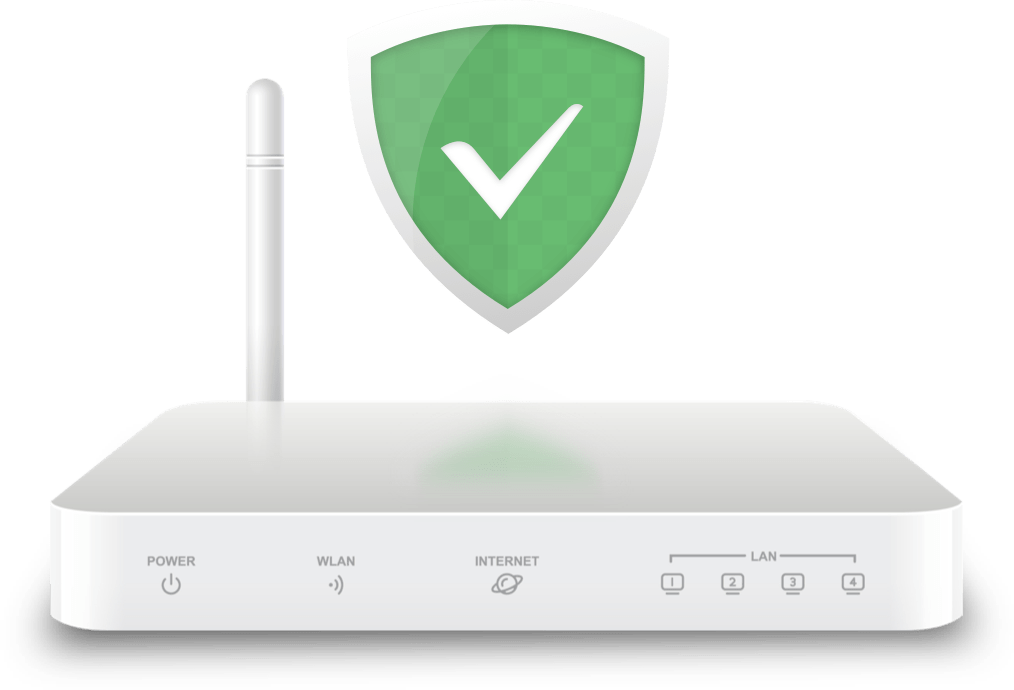
An illustration of a home router carrying the AdGuard shield, representing network-level DNS filtering
DNS filtering runs before a page loads, which is why it reaches traffic a browser extension never sees. Illustration: AdGuard.
AdLock

AdLock

Best suited for: users who prefer stricter blocking across several devices.

AdLock takes a firmer stance on advertising. The company states that it does not participate in the Acceptable Ads program and blocks advertisements by default. It supports Windows, macOS, Android, iOS, Android TV, Chrome, Safari, and Firefox, and pairs ad blocking with tracker and malicious-content filtering.

Key features include:

  • Ad and tracker blocking
  • Browser and app-level filtering on supported platforms
  • Custom rules and DNS filtering
  • Windows, macOS, Android, and iOS support
  • Android TV support

A supported license can cover up to five devices, according to the company.

What sets it apart: its clear “no Acceptable Ads” position. If you would rather block advertising outright than allow a defined category of non-intrusive ads, that stance is meaningful. Users seeking a lighter, browser-only tool may find the broader feature set more than they need.

AdBlock

AdBlock

Best suited for: people who want a familiar, low-effort browser ad blocker.

AdBlock is known primarily for its browser-based experience. It supports major desktop browsers and offers mobile options, including Safari on iPhone and iPad as well as Android. Users can choose filter lists, allowlist websites or individual YouTube channels, and build custom filters.

Key features include:

  • Browser ad blocking with pop-up and video ad filtering
  • Tracker filtering
  • Custom filters and website allowlists
  • YouTube channel allowlisting
  • Mobile support
  • Optional Premium features

Basic ad blocking is free, while Premium adds further features. By default, AdBlock permits certain non-intrusive ads through its Acceptable Ads setting, which users can disable.

What sets it apart: it works as a straightforward entry point for people who want a cleaner browser without configuring a device-level solution.

Total Adblock

Total Adblock

Best suited for: users seeking a consumer-focused service across supported platforms.

Total Adblock combines advertising and tracker filtering with additional privacy and security-oriented features. It supports major desktop browsers and mobile platforms, though capabilities differ between Android and iOS.

Key features include:

  • Banner, pop-up, and video ad filtering
  • Tracker blocking
  • Cookie and annoyance filtering
  • Security filtering
  • Mobile applications and website allowlisting

The mobile experience varies by operating system. On iOS, it relies largely on Safari content-blocking capabilities, while Android can offer broader filtering depending on configuration.

What sets it apart: a relatively hands-off design. Users who prefer to install a product and rely on preset filtering, rather than authoring detailed rules, may find that convenient. Those who want highly granular, self-created rules may prefer a more customizable option.

Adblock Plus

Adblock Plus

Best suited for: users who want an established, customizable browser-based tool.

Adblock Plus is an open-source project that uses filter lists to block advertising, tracking elements, and other unwanted content. Its feature set covers ad blocking, tracker blocking, social media filtering, and customizable filter lists.

Key features include:

  • Advertisement and tracker filtering
  • Social media element filtering
  • Custom filter lists and allowlisting
  • Major browser and mobile support
  • Acceptable Ads controls

As with AdBlock, Acceptable Ads is enabled by default. The program permits advertisements that meet defined non-intrusive criteria, and users can turn the feature off entirely.

What sets it apart: the combination of customizable filtering and the Acceptable Ads model appeals to users who want to cut intrusive advertising without necessarily blocking every ad.

Head-to-Head: The Comparisons That Matter Most

Two pairings come up more than any others, because in each case the two products look interchangeable until you read the detail.

AdGuard vs AdLock

AdGuard

AdGuard

Provides a broad ecosystem of device applications, browser extensions, DNS filtering, and network-level options.

AdLock

AdLock

Also offers system-level filtering across supported devices and, notably, does not participate in Acceptable Ads.

These two invite direct comparison because both reach beyond simple browser extensions. The practical distinction comes down to priorities. If customization and multiple filtering layers matter to you, AdGuard tends to be the more flexible choice. If a strict “block ads by default” philosophy is the deciding factor, AdLock aligns more closely with that preference.

AdBlock vs Adblock Plus

AdBlock

AdBlock

Provides features such as blocked-ad statistics and custom filters.

Adblock Plus

Adblock Plus

Emphasizes customizable filter lists alongside controls for tracking and social media elements.

The similar names conceal two separate products. Both offer free ad blocking, support major browsers, and rely on filter lists, and both include Acceptable Ads functionality. For many users, the choice comes down to interface preference and the specific browser or device in use rather than a dramatic gap in capability.

Matching a Product to Your Need

Instead of a single ranking, it helps to map each option to a concrete requirement.

  1. AdGuard

    Broad device and DNS filtering

    AdGuard, with browser, desktop, mobile, DNS, and network-level options.

  2. AdLock

    Strict blocking by default

    AdLock, which does not participate in Acceptable Ads.

  3. AdBlock

    Straightforward browser blocking

    AdBlock, offering simple extensions with optional customization.

  4. Total Adblock

    A more hands-off experience

    Total Adblock, combining preset filtering with browser and mobile support.

  5. Adblock Plus

    Customizable browser filtering

    Adblock Plus, built around an adjustable filter-list system.

Points to Weigh Before You Commit

A few practical realities are worth checking before you install anything.

  • Your main device shapes what's possible

    A tool that performs well on Windows may behave differently on iOS. Apple's platform restrictions, for instance, affect how third-party applications filter content outside Safari.

  • Extensions and system-level blockers are not the same

    A browser extension generally handles content inside that browser. A system-level solution can filter traffic from multiple applications, depending on the operating system and configuration.

  • Acceptable Ads may influence your choice

    AdBlock and Adblock Plus enable it by default, while AdLock explicitly opts out. If supporting sites that rely on non-intrusive advertising matters to you, this distinction is relevant.

  • No ad blocker catches everything

    Websites continually change how they serve ads and trackers. These tools depend on filter rules and lists that update over time, and some advertising methods are harder to identify.

  • Site compatibility can require an allowlist

    Some websites ask visitors to disable their blocker before granting access. An allowlist feature helps in those cases.

Frequently Asked Questions

Short answers to the questions readers ask most when they line these five products up against each other.

Are AdGuard and AdBlock the same company?

No. AdGuard and AdBlock are separate products developed by different companies.

Is AdGuard different from Adblock Plus?

Yes. AdGuard offers a broader ecosystem that includes dedicated device applications and DNS services, while Adblock Plus is known mainly for its browser extensions and filter-list system.

Which ad blocker blocks Acceptable Ads?

AdBlock and Adblock Plus enable Acceptable Ads by default, though users can turn the feature off. AdLock states that it does not participate in the program.

Can ad blockers work on smartphones?

Yes, though capabilities vary by operating system. All five offer some form of mobile support, with specific features depending on Android or iOS.

Do I need a paid ad blocker?

Not necessarily. Several of these products include free ad-blocking functionality. Paid versions generally add features, broader device coverage, or premium services. AdBlock, for example, offers free basic blocking with an optional Premium upgrade.

Can an ad blocker guarantee complete privacy?

No. Ad and tracker blocking can reduce certain unwanted content and tracking, but it is not a guarantee of complete online privacy or cybersecurity.

Which One Makes the Most Sense for You?

There is no universal winner among these five. AdGuard stands out for a broad ecosystem spanning device, browser, DNS, and network-level options. AdLock suits users who want strict blocking without an Acceptable Ads program. AdBlock offers a simple, browser-focused route. Total Adblock provides a consumer-oriented mix of ad and tracker filtering across supported platforms. Adblock Plus centers on customizable filter lists and the Acceptable Ads model.

The right choice depends on your devices, preferred browser, privacy expectations, appetite for customization, and whether you want to permit certain non-intrusive ads. If a solution that extends beyond a single browser extension appeals to you, AdGuard is worth exploring for the range of filtering approaches available across its product ecosystem.

This page is a commercial comparison published by cleansurfing.com. It is not independent journalism, editorial review, cybersecurity advice or professional technology guidance, and it is not a definitive ranking of the products discussed. Some of the outbound links to those products are affiliate links, and we may receive compensation if you go on to download or purchase through one of them. That compensation does not change the price you pay and does not decide the order in which the products appear. Product features, pricing, platform support, and availability can change. Please review each provider's current information before making a purchasing decision. Please review our Advertising Disclaimer and Privacy Policy.